
Main points
- Microwave ovens, Bluetooth devices, and cordless phones can interfere with Wi-Fi by interfering with signals on the 2.4 GHz frequency.
- Large metal objects, mirrors, aquariums, and thick walls can reflect or absorb the signal, creating “dead zones” in network coverage.
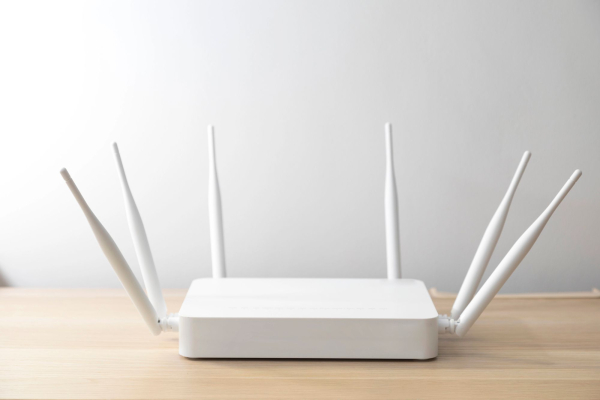
What prevents stable Wi-Fi / Depositphotos
Slow loading pages, freezing videos, or sudden connection drops don't always mean problems with your ISP or an old router. Often, the culprits of weak Wi-Fi are ordinary things in your apartment – from appliances to interior elements. Some of them affect the signal much more than you might think.
Finding the cause of unstable Internet often turns into a real puzzle. The same symptoms can occur due to dozens of different factors: network overload with devices, outdated equipment, or even interior items. 24 Channel offers to consider the most common sources of interference and ways to minimize their impact.
Microwave ovens
Household microwaves operate at a frequency of around 2.45 GHz—the same frequency used by many home Wi-Fi networks. This can lead to interference and short-term interruptions when heating food.
The easiest solution is to move the router away from kitchen appliances or switch to the 5 GHz band if the router supports it.
Devices with Bluetooth
Headphones, gamepads, speakers, cameras, and other Bluetooth devices also use the congested 2.4 GHz band. A single device usually doesn't cause any serious problems, as Bluetooth operates at low power and changes channels quickly. However, having multiple gadgets working at the same time can significantly reduce Wi-Fi speeds.
Smart gadgets for the home
Light bulbs, surveillance cameras, sockets or voice assistant hubs create additional load on the router. They compete for bandwidth and radio channels, and also use the router's processor resources, writes Express.
If there are many such devices and they are located close to the router, this may cause delays or an unstable connection.
Moving your router to the center of your home, limiting the number of active gadgets, or switching to a mesh system can help. Finding the best place in your home for your home Wi-Fi router can be tricky, but it solves most signal problems.
Cordless phones
Older analog cordless phones that operate at 2.4 GHz can seriously interfere with Wi-Fi signals due to their high transmission power, AT&T explains. Modern digital models are less problematic. The best option is DECT 6.0 phones, which use the 1.9 GHz frequency and do not compete with Wi-Fi.
Radionics
Modern video doorbells often stream video over Wi-Fi or the same 2.4 GHz band. Constant data transfer can overload the network, especially in apartment buildings. If the signal deteriorates, it is worth moving the device away from the router or reducing the video quality.
Large metal objects
Refrigerators, ovens, metal cabinets, or water heaters reflect and absorb radio waves, creating “dead zones.” Even today's fast 5 GHz networks cannot fully compensate for this effect.
It is best to place the router on an open shelf or in an area without massive metal structures. If this does not help, it is worth adding signal amplifiers or mesh nodes.
Mirrors
Despite their glass surface, mirrors have a metallic coating of silver or aluminum that reflects Wi-Fi signals, explains The Sun. This causes what’s known as multipath interference, where waves overlap and weaken the signal. Large or old mirrors can reduce the signal strength by almost half, especially if there are several of them in the same room.
Aquariums and large water tanks
Water absorbs radio waves well at frequencies close to 2.4 GHz. Therefore, a large aquarium can significantly reduce network coverage, especially if it is located between the router and the device receiving the signal.
Salt water also creates even more losses due to higher conductivity. Added to this is electromagnetic interference from pumps or lighting. The solution is to move the router away from the aquarium or move it to another room.
Thick walls
Concrete, brick, and reinforced structures can significantly attenuate the signal. For example, a concrete wall about 20 cm thick can absorb up to 55 dB of power. The 5 GHz band loses signal even faster than 2.4 GHz.
The most reliable way to ensure stable internet in remote rooms is to run an Ethernet cable or install a mesh system.
Neighbors' Wi-Fi
In high-rise buildings, dozens of routers operate side by side, often on the same channels. In the 2.4 GHz band, only three non-overlapping channels are available – 1, 6 and 11, so congestion is inevitable. Switching to 5 GHz with more channels or manually selecting a less busy channel through special applications will help fix unstable Wi-Fi due to the influence of third-party networks.
Stable Wi-Fi starts with proper router placement and smart network setup. Switching to modern dual- or tri-band routers, using technologies like beamforming, mesh systems, or powerline adapters can significantly improve coverage.