
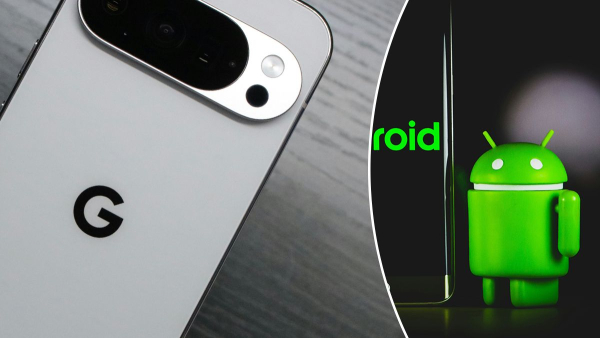
These features are sorely lacking in “bare” Android / Collage 24 Channel/Unsplash
Google has done a great job creating the Android operating system. On powerful enough devices, it is fast and convenient, not inferior to iOS. But each company that buys a license still wraps it in its own shell, giving it its own interface design and functions. Google itself also has exclusive features for Pixel smartphones, but they really lack something.
What features is the Google Pixel missing?
The convenience of using a smartphone and the impressions it evokes are often the result of a combination of small features. Each of them individually may seem unimportant and secondary, not worth considering, but when combined, they become a weighty argument when choosing a new gadget, writes 24 Kanal .
Unfortunately, we live in a reality where Chinese, Korean or Indian smartphones are often more convenient in terms of using the operating system, although they are cheaper and of lower quality, as manufacturers try to conquer the market, competing with large corporations, such as the same Google or Samsung. To do this, they not only offer cheaper devices, but also invest in their software, so that in cases where the hardware is the same, the user makes a choice in their favor due to small conveniences.
Desktop lock
Imagine this: you're holding your Google Pixel while you carry your tea or a plate, or you're talking to someone, or you're grabbing something from a shelf. When you return to your smartphone, some of your icons have been moved and widgets have been removed. It turns out that while you were doing your thing, you accidentally unlocked the screen, your fingers pinched app icons and widgets, and then deleted them or moved them to folders with others.
To prevent this from happening, some Android smartphones, like Xiaomi, have a feature that locks home screen changes. Once you've fully configured it, you can disable further changes so that moving or deleting items is impossible.
Cloning applications
The app cloning feature seems so logical and commonplace that it's surprising why Google Pixel doesn't support it. Not all services allow you to log in to multiple accounts in one app, so the ability to keep a copy of an app on your smartphone is very useful.
Pixel actually has a similar feature, but it works in a completely different way, less convenient. In order to have a copy of an application, you need to create a hidden space, which essentially makes a new profile of the entire smartphone with copies of all the main applications (which cannot be deleted). This way, you get not only a copy of the application you want, but also clones of 12 others that will just hang in memory, taking up precious space. If you have the 1 terabyte version, this is not a problem, but for users with 128 gigabytes this will be bad news.
Additionally, to access this secret profile, you need to take a few extra steps instead of just clicking on the icon on your desktop.
Quick screenshots with gestures
Google Pixels don't have a dedicated quick screenshot icon in the quick settings and gestures panel. To take a screenshot, you either have to press the two buttons on the side (which often results in accidental lockouts) or configure a back-tap (which will lock the feature for other purposes).
Instead, Xiaomi smartphones offer gesture control. Just swipe three fingers across the tap to take a quick screenshot. If you hold three fingers on the screen, you can select a specific area for a screenshot. In addition, on the top slide-out control panel, you can set a separate icon for this – after pressing, the panel hides, and the smartphone takes a picture.
Clearing the list of running programs
It's hard to say what logic Google's developers had in putting the close button for all running apps to the left of the list. If you have one or two apps open, this isn't a problem at all, as you can scroll through them quickly. But if you have 10 or 20 apps open, you'll have to scroll for a long time to get to the close button, or close each app individually by swiping it off the screen.
Instead, the button to close all programs would be more appropriate at the bottom or at least on the right, that is, at the end of the list, so that the user sees it immediately after opening the section of all running applications.
Additionally, Google didn't bother with the ability to pin some apps to memory so they don't close with everything else when clearing. This would be useful for music streaming or video, because if you click the “Clear All” button while listening, your YouTube Music or Spotify will also close, which means that music and video playback will immediately stop.
Folders in the All Apps list
Samsung and Xiaomi smartphones allow you to conveniently sort all your installed apps in a general list that you can access by swiping up from the bottom. This allows you to group them by theme, function, or other category. For example, if you don't want to keep all your Google apps in a folder on your desktop, you can keep them in a general list.
However, this is not possible on Pixel smartphones, as all applications are presented in a single list without any sorting options.