
Main points
- The iOS 26.3 update includes the “Move to Android” feature, which makes it easy to transfer data from iPhone to Android by simply placing the devices next to each other.
- Apple has improved the experience of third-party watches in the EU by ensuring that the full content of notifications is displayed on the screens of other brands' watches, in accordance with the requirements of the EU Digital Markets Act.
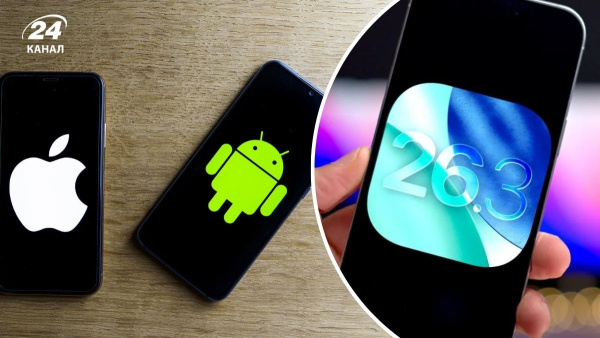
Apple allows you to quickly transfer data from iPhone to Android / Collage of Channel 24 / Photo by Depositphotos
The release of iOS 26.3 brought several important features that make it easier for iPhones to interact with other ecosystems. A key new feature was the ability to quickly transfer information to an Android device, which will make life easier for iPhone owners who have decided to change their gadget.
Apple's update also improved the operation of third-party watches in the European Union, in accordance with new legal requirements, The Verge reports.
What has changed for users in the new version of iOS 26?
The centerpiece of iOS 26.3 is the “Move to Android” feature, which allows you to migrate between platforms simply by placing your old iPhone and new Android smartphone next to each other.
This tool automatically transfers installed apps, photo archive, messages, and even the owner's phone number, as 9to5mac explains.
Previously, this process was much more complicated: people had to manually copy files or download special data transfer apps from Apple or Google to both devices at the same time.
For residents of the European Union, Apple has implemented the “notification forwarding” feature for third-party accessories, which we previously reported on.
Now, on the screens of smartwatches from other brands, you can see the full content of notifications and flexibly configure which applications they should come from.
This makes the experience of using smartwatches from third-party manufacturers much better, as the gadgets will display important and relevant information from the smartphone.
These changes are a result of Apple's compliance with the EU Digital Markets Act (DMA) requirements to improve device interoperability, which is why the feature is only available to EU users, as previously reported by Apple Insider.
How to install iOS 26.3 update?
The update is deployed automatically and you don't need to do anything. However, if you don't want to wait and want to try out the new features now, there is a manual installation algorithm.
You can do this through the standard “Settings” application. In the “General” section, select the “Software Update” item.
If the device is compatible with the iOS 26 line, the system will offer to download and install the current build number 26.3.
What's next for iOS?
Apple is already working on a new operating system for future iPhones. Insiders say that in iOS 27, developers will focus on optimizing the system, fixing bugs, and improving performance.
Big changes await Siri, which should finally turn into a full-fledged AI bot with the ability to analyze files and perform complex actions using Google's Gemini models.