
Main points
- Android has a “Repair Mode” that temporarily hides personal data, allowing technicians to test the device without accessing the user's files.
- This feature is available for smartphones with Android 14 and above and can be activated through system settings.
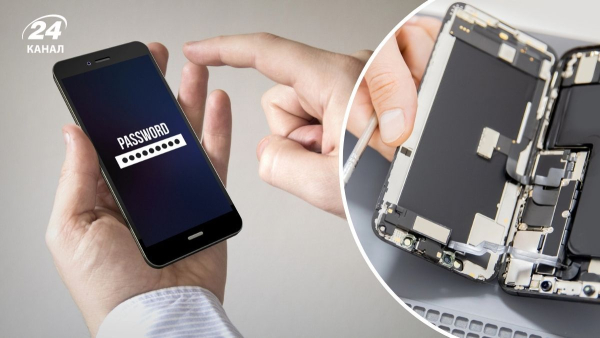
Risk-free phone repair / Collage of Channel 24 / Photo Depositphotos
Smartphones break for various reasons and we often send them in for repair without thinking about the fact that there is a lot of sensitive personal data inside. We are unlikely to be pleased if it falls into the hands of strangers and this can be prevented.
Before taking your smartphone to a repair service center, you should make sure that all your data is securely protected. There have been many cases when unscrupulous craftsmen blackmailed smartphone owners by gaining access to photos or other files. But this problem can be solved quite simply, 24 Channel tells from its own experience.
What happens if you lock your smartphone?
Most likely, your service center will simply not accept it. If the repair concerns the functions of the screen or other system components, the technician needs to be able to test the device in real conditions.
That's why Android has a special feature that prevents access to user information on the device. By activating it, you can be sure that the service center technician will not be able to see your personal photos, address, card details, or chats in messengers.
How does repair mode work?
The function actually creates a separate temporary profile where the personal data of the device owner remains inaccessible. At the same time, the wizard will be able to easily check the operation of the smartphone and all the necessary functions, or install the necessary system updates.
This feature is supported by smartphones running Android 14 and above, Google's support page explains. For most smartphones, you can access Repair Mode in the Settings, System menu. Here, you'll find a feature called Repair mode, or something similar in description.
Help! In Samsung smartphones, a similar function is called Maintenance Mode and is located in the “Battery and device care” menu.
To activate the repair mode, you must read the description of the function and confirm its activation by entering the unlock password.
Important! After enabling this mode, your smartphone will reboot and this is normal.
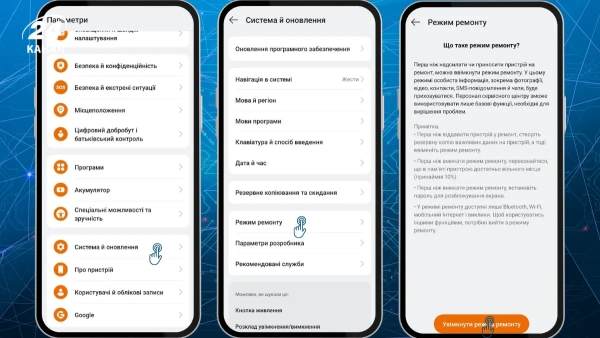
How to enable repair mode on an Oppo smartphone with Color OS / Screenshot by Channel 24
What to do if the screen doesn't work
In this case, you should connect to an external display and mouse via USB-C and activate repair mode as follows.
How to get everything back?
After the repair, it is very easy to access your own profile and data. You should open the notification panel and click “Sign out”. If you do not see such a message in the notification panel, you need to go to “Settings” – “System” and in the “Repair mode” item, disable the function by confirming the action with a password.
Repair mode is a relatively new Android feature designed to improve device owner security. Manufacturers still recommend backing up important information.
Alternative use of the function
In repair mode, your smartphone actually turns into a kind of dumbphone. Bluetooth, Wi-Fi, mobile Internet and calls are available. That is, “Repair Mode” can be used, for example, if someone asked to use your smartphone to make a call or find something on the Internet.
What should iPhone owners do? iPhone users have access to a similar scenario through the Find My app. In any case, before sending your smartphone for repair, you should take care of blocking access to personal data.