
Main points
- iPhone allows you to record video by long pressing the shutter button, without switching modes.
- The Camera Control button can be configured to launch third-party apps and used for smooth zoom.
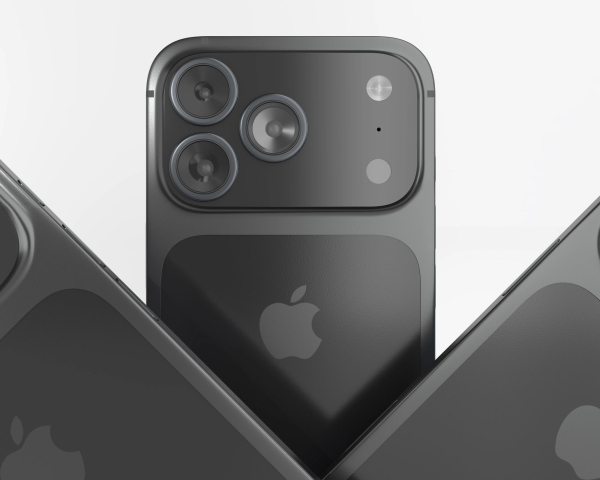
Unobvious capabilities of the iPhone camera / Depositphotos
The iPhone camera traditionally gets the most attention after every smartphone and iOS update. However, alongside the big-name innovations, there are some less noticeable but equally useful features that every mobile photographer should know about.
Some of these “hidden” features have been around for a long time, while others have appeared recently – and all of them can make shooting easier and more convenient, says BGR.
Record video by long pressing the photo button
Users usually switch between Photo and Video modes, but iPhone allows you to record videos even without changing modes .
To do this, simply hold down the shutter button – recording will start instantly and end when you remove your finger. If you need to shoot longer, you can swipe right to freeze the recording and free your hands.
This mode also allows for parallel photo shooting. An additional advantage is the ability to change the aspect ratio of the video, which the standard “Video” mode does not allow.
However, there is a caveat : when shooting in 16:9 format, the quality is limited to 1080p, and in 4:3 or 1:1 formats it increases to approximately 1440p. For content creators who are used to 4K, this may be a minus, while for everyday videos it is a completely acceptable option.
The Camera Control button can be customized
Another little-known feature is the Camera Control button that's been added to newer iPhone models. By default, it opens the stock camera, but you can reassign it to a third-party app, for example, if you often use the camera on social media.
To do this, you need to change the appropriate parameter in the camera settings. After that, the button will work almost the same: pressing will take a photo, and swiping will help you zoom in. It is only important that the selected application has access to the camera.
How to take a photo without touching the screen?
Taking a photo without touching the screen is also possible. The “Commands” application has a voice capture function – just activate the voice assistant and say the appropriate phrase.
The camera will take a picture without opening the preview interface. You can edit this scenario if you want – add a timer or switch to the front camera.
Interactive text and link scanning
The smartphone can also “read” text through the camera. If you point the lens at a phone number, web link, or any other text, the system will suggest an action – call, open a website, copy, or translate the text.
The feature supports multiple languages, including English, Spanish, French, Japanese, and Turkish. This can be useful for quickly saving contacts, working with notes, or viewing information on posters.
Smooth zoom with one button
Finally, the Camera Control button is capable of smooth, continuous zoom. Instead of the standard toggle between fixed values – such as 0.5x, 1x or 4x – the user can activate a precise zoom mode.
Then, simply swipe your finger across the button to zoom in or out with high precision.
Interesting fact! On flagship models, the maximum zoom level can reach tens of times, which is especially convenient when shooting distant objects.
These features are not always the focus of presentations or promotional materials, but they can significantly simplify everyday photography, and scanning text through the camera will generally be useful for performing various everyday tasks.
The features we've told you about open up new scenarios for using the camera and can be useful to you, so it's better to know about such moments and share them with your friends.