
Main points
- The Google Pixel has secret features like Quick Tap, which allows you to perform actions by double-tapping the back of the smartphone.
- Other features include notification history, “Rules” to automate settings, “Modes” to focus, adaptive vibration, and smart screen rotation.
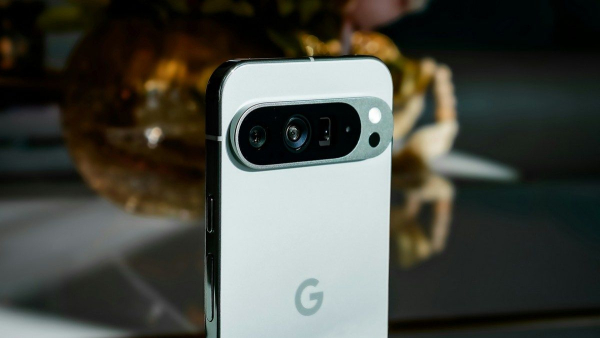
The magic of settings: how to make Google Pixel even more convenient / Unsplash
Many users appreciate Google smartphones for their laconic interface and lack of unnecessary software. However, behind the external simplicity lies a lot of intelligent solutions that can significantly change the daily interaction with the device and make it easier to perform routine tasks.
How to unlock the full potential of Google Pixel?
The Android operating system is one of the main advantages of the Pixel line of devices. However, this “clean experience” is often mistaken for a lack of features. While other shells, such as Samsung's One UI, offer more customization options, the Pixel UI also has something to surprise. Most owners use such well-known tools as Now Playing or Magic Editor every day, but many useful settings remain unnoticed in the depths of the menu. 24 Channel has collected 6 of the most interesting.
Quick Tap
One of the most interesting features is Quick Tap , which turns the back of your smartphone into a virtual button. It allows you to perform a specific action, such as taking a screenshot, by double-tapping.
To activate this option, you need to go to “Settings” – “System” – “Gestures” – “Double tap to perform actions”. You can choose to launch any application or even a specific function within it, such as opening the camera directly in selfie mode.

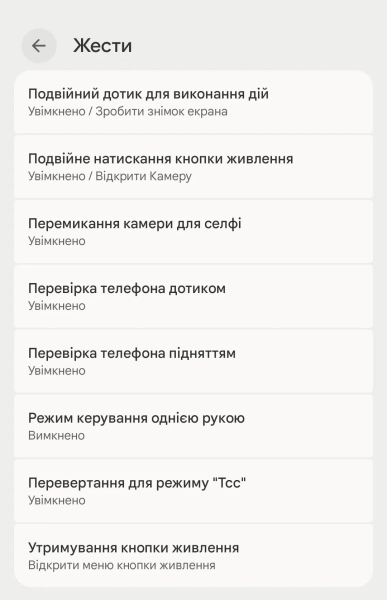
Quick Tap Feature / Screenshot of Channel 24
Notification history
Another indispensable feature is “Notification History” . It saves in cases where you accidentally deleted an important message from the notification panel. This tool keeps a log of all received messages for the last 24 hours. You can activate it in the “Settings” – “Notifications” – “Notification History” menu.
Set your own rules
To automate your daily routines, Pixel offers Rules . These let you change your phone's settings based on the Wi-Fi network you're connected to or your location. For example, you can set Do Not Disturb to automatically turn on when you get home or go silent at the office. This eliminates the need to manually change sound profiles every time.
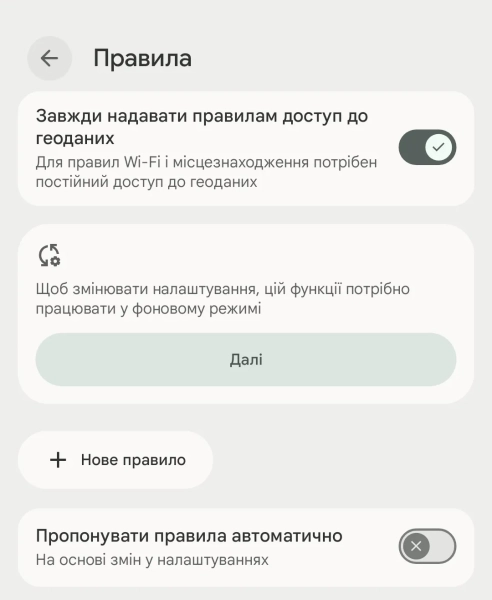
“Rules” feature / Screenshot of Channel 24
Modes
Modes helps you focus on what matters by limiting distractions. You can create your own schedule for work or sleep. For example, during sleep mode, you can enable grayscale for your display to reduce blue light exposure and the urge to scroll through social media. Settings are available in Settings – Modes, where you can choose specific apps and contacts that are allowed to send you notifications at certain times.
Adaptive vibration
Adaptive Vibration technology makes using the device more comfortable by adjusting the strength of the haptic feedback to the surrounding conditions. The smartphone uses a microphone and sensors to determine where it is: in a pocket, bag or on a hard surface.
Google says that audio data is processed directly on the device and then deleted. You can enable the feature in Settings – Sound & vibration – Vibration & haptics.
Smart screen rotation
Finally, Pixel offers a smart solution to the problem of the screen automatically rotating when using the phone in bed. Thanks to facial recognition, the smartphone detects the position of your head in relation to the screen and does not change the orientation to landscape when you lie down. This option is located in the “Settings” menu – “Display & touch” – “Auto-rotate screen”, where you need to activate the “Face recognition” switch.
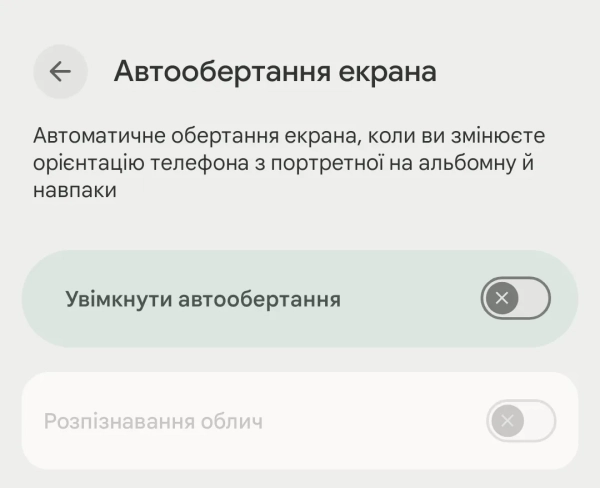
Smart Screen Rotation / Screenshot Function 24 Channel
You may also be interested in: Top Google Pixel 11 Rumors
The Google Pixel 11 series has not yet been officially unveiled, but a large number of leaks and technical details have already accumulated around the smartphone. Most sources agree that Google does not plan to radically change the design of the device, but will instead focus on artificial intelligence, autonomy, cameras and Android 17 optimization, writes Tom's Guide.
According to preliminary data, the basic Pixel 11 will retain approximately the same appearance as the Pixel 10. The smartphone will receive a flat display with thinner frames, an updated glass panel of the camera unit and, probably, new body materials. Some leaks even mention the “Pixel Glow” effect – decorative backlighting or light effects on the back, PhoneArena reports.
The most important change will be the new Tensor G6 processor. It is expected to be the first Tensor to be manufactured using TSMC's 2nm process, rather than Samsung's. This is a very important step for Google, as previous Tensors have been regularly criticized for overheating, unstable battery life, and poorer power efficiency compared to Snapdragon and Apple Silicon chips. The new Tensor G6 should make the Pixel 11 cooler, more stable, and more energy efficient.
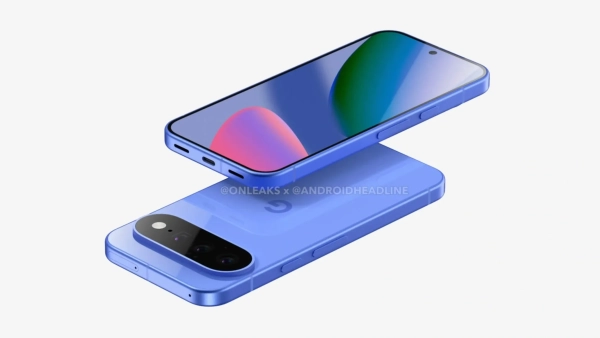
Pixel 11 render/ Photo by OnLeaks
It is also reported that the modem will be replaced by a new MediaTek M90 modem. For users, this could mean better mobile signal, more stable 5G, and less power consumption during data transfer. Some insiders are directly calling the modem the main hidden update of the Pixel 11.
The cameras will traditionally remain one of the main focuses of the smartphone. The leaks talk about a new 50-megapixel sensor, improved night mode, AI photo processing and more advanced video. Features such as Cinematic Blur in 4K format and improved recording in the dark are mentioned. Google will probably continue to rely not on the “hardware”, but on computational photography algorithms and the integration of Gemini AI.
There are also less clear-cut rumors. Some sources claim that Google may bring back the removable battery due to new European requirements for electronics repairability. However, for now, this looks more like an experimental idea or patent than a guaranteed feature.
What new features will appear in Android 17?
Additionally, we would like to remind you that Google has already officially launched the beta testing of Android 17 and confirmed a number of changes, so we can expect even more features in Pixel 10 and older models. The company has abandoned the old Developer Preview model and switched to the permanent Canary channel for developers. This means that new features will now appear faster and more often, writes Android Developers.
One of the main directions of Android 17 will be deeper integration of artificial intelligence. At Google I/O 2026, the company is likely to introduce “Agentic AI” – systems capable of performing actions on behalf of the user. Android 17 is expected to receive a much closer connection with Gemini AI, including contextual suggestions, task automation and new personalization tools, reports The Times of India.
The system is also expected to feature an updated Material 3 Expressive interface. Leaks suggest new animations, blur effects, redesigned icons, dynamic color themes, and a more “lively” design. Google is actually trying to make Android visually more modern after several years of minimal changes. (PhoneArena)
Android 17 will also bring more interface customizations. For example, Pixel users may be allowed to remove the branded search bar from the home screen – one of the longest-standing complaints of Pixel owners, TechRadar adds.
There's a particular focus on cameras, multimedia, and connected devices. Google has already confirmed new camera APIs, improved media experience, wireless optimizations, and expanded profiles for accessories and companion devices.
Also in the test builds of Android 17, an improved desktop mode was noticed – a mode in which the smartphone works as a computer when connected to a monitor. Some beta users claim that the feature is almost ready for a full launch.
When will Google Pixel 11 and Android 17 be released?
Regarding release dates, most sources indicate that Android 17 will be released in a stable form in June 2026 after being presented at Google I/O in May. Google is already at the platform stability stage, meaning the main features of the system are effectively complete, writes Android Central.
The Google Pixel 11 is currently expected to launch in August 2026. This is in line with Google's new schedule that the company has been using for its Pixel flagships in recent years.