
Main points
- Cybersecurity experts are warning about the risks of always-on Bluetooth, which could allow attackers to detect and spoof devices to gain unauthorized access.
- Experts recommend turning off Bluetooth when not in use and deleting saved pairings after using someone else's devices to reduce risks.
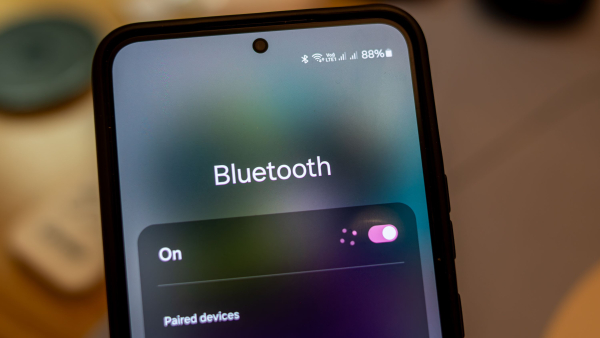
The Invisible Risk in Your Phone – What's Wrong with Always-On Bluetooth / Android Central
Bluetooth has long become a background part of everyday life, but its constant activity can create risks that most users don't even think about.
Bluetooth wireless technology has long become a standard for modern electronics. It is used in headphones, smartwatches, car multimedia systems and dozens of other devices that interact with smartphones every day. For many users, Bluetooth is so familiar that it remains active 24/7. This writes BGR .
Why should you turn off Bluetooth when you don't need it?
However, cybersecurity experts warn that this habit can create additional threats to privacy and personal data security.
According to the Federal Communications Commission , always-on Bluetooth allows potential attackers to discover devices, analyze previous connections, and even impersonate trusted accessories to gain unauthorized access.

The US Federal Communications Commission explicitly states: “If Bluetooth remains on, it allows hackers to see which other devices you have previously connected to, impersonate one of them, and gain access to your device.”
This poses risks similar to those encountered when using unsecured public Wi-Fi networks. Although Bluetooth works over a short distance and usually requires confirmation of the connection, it does not guarantee absolute protection.
How do Bluetooth attacks work?
A smartphone is a particularly attractive target for attackers, as it contains a significant amount of personal information – from contacts and correspondence to banking applications and location data.
One common attack scenario is the so-called ” spoofing connection “. In this case, the attacker disguises his device as an accessory that is already familiar to your phone – for example, wireless headphones or a car system. If the system recognizes such a signal as trusted, this can create a loophole for further manipulation. Another potential problem is location tracking through device search mechanisms.
What is dangerous about the Fast Pair feature on Android?
Experts pay special attention to the Fast Pair feature in Google Android smartphones. This system automatically scans the surrounding space for compatible Bluetooth devices and speeds up the connection process. Formally, it should only work with accessories associated with the user's account.
As Slash Gear writes, Belgian cybersecurity researchers have discovered a vulnerability in the operation of Fast Pair, which allows the mechanism to be used to capture connections and even covertly track. The peculiarity of the problem is that it affects not only owners of Android smartphones. If the accessory supports Fast Pair, the risk may also extend to users of other platforms.
That is why experts recommend checking the device settings and disabling the option to scan for nearby devices in the connection management menu.
What measures will help protect yourself?
Experts recommend following a few basic rules of digital security. First, turn off Bluetooth when not in use. This is a simple but effective way to reduce the potential attack surface.
Secondly, after using a rented car or someone else's multimedia equipment, be sure to delete the saved connection from your smartphone.
Third, if your device supports stealth mode , enable it. This will make it harder for third-party devices to find your phone. For iPhone owners, the customization options are more limited, as the system actually only allows you to turn Bluetooth on or off completely. Despite some inconvenience, reconnecting accessories usually only takes a few seconds. It's a small price to pay for the extra layer of protection in an environment where cyber threats are becoming increasingly sophisticated.