
Main points
- Apple recommends using the WPA3 Personal security protocol for reliable Wi-Fi network protection, and avoiding outdated standards such as WPA/WPA2 mixed and WEP.
- It is recommended to enable automatic router firmware updates to receive the latest security patches and improve performance.
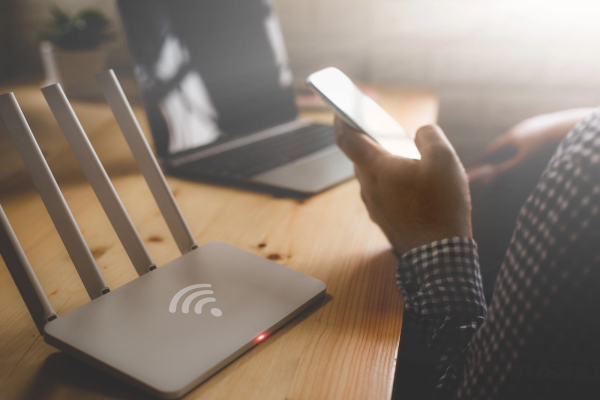
Apple recommends changing these Wi-Fi router settings / Depositphotos
The default settings on your home Wi-Fi router don't always provide the best speed and security. Apple has listed a few settings you should change to make your network more stable and secure.
High-speed Internet is a basic need today. That's why Wi-Fi routers work in most homes almost without interruption, providing connectivity for smartphones, laptops, TVs and smart devices. At the same time, many users leave them in factory settings, which can reduce network performance or even create security risks, explains 24 Channel .
Apple has prepared a list of recommendations that apply not only to owners of the company's equipment. They are relevant for everyone – regardless of whether you use a router from an Internet provider, a separate model from a well-known brand, a mesh system, or an access point.
Switching to the modern WPA3 security standard
One of the most important settings is the Wi-Fi security protocol. It is responsible for encrypting data between devices and the router and making it more difficult to crack the password. Apple recommends using WPA3 Personal , the latest standard, which is supported by devices with Wi-Fi 6 and later versions.
If you have old gadgets at home, you can enable the WPA2/WPA3 Transitional mode. In this case, new devices will work via WPA3, and old ones via WPA2 Personal with AES encryption. If the router does not support modern standards, you should leave WPA2-Personal (AES).
At the same time, the company advises to completely abandon outdated modes – WPA/WPA2 mixed, WPA Personal, WEP and TKIP. They can already be cracked by modern methods. The lack of protection at all is also a serious mistake, because then the network has neither authentication nor encryption.
One SSID for all Wi-Fi bands
The SSID is the name of the wireless network that users see in the list of available connections. Router owners often create separate names for the 2.4 GHz and 5 GHz bands to make it easier to distinguish between them. However, Apple recommends using one common name for all available frequencies, including 6 GHz in the new standards.
This approach helps devices automatically switch between bands for a more stable signal and better speed. Also, avoid using network names that are too generic, such as those that mention the router brand. In apartment buildings, this can cause confusion due to neighbors having the same SSID.
Why you shouldn't hide your Wi-Fi network
Some users believe that a hidden network increases security. In fact, this is a myth. Apple explains that such networks are easy to find with special tools, as devices are forced to constantly “announce” its name in order to establish a connection.
Once detected, an attacker can even spoof the network and gain access to connected devices. In addition, a hidden SSID can increase battery consumption on smartphones and laptops due to constant attempts to find the network. Instead, a more effective solution would be a complex password and a modern security protocol.
Automatic firmware updates
Like any modern gadget, routers regularly receive software updates . They add new features, improve speed, and close potential vulnerabilities. The problem is that many users almost never log into their router's control panel, which is why they miss out on important updates.
Apple recommends enabling automatic updates . This will ensure you receive security patches on time and avoid having to worry about manually checking. If you don't have this feature, it's a good idea to check for new firmware periodically, such as once a month or every few months.
Correct channel width for different frequencies
Another important parameter is the channel width . It determines how much data can be transmitted over a particular channel in a certain range. Wider channels provide higher speeds, but increase the risk of interference, especially in the 2.4 GHz band, which is actively used by both neighborhood networks and Bluetooth devices.
To avoid unstable signals, Apple recommends setting the channel width to 20 MHz for 2.4 GHz. In the 5 GHz and 6 GHz bands, you can allow automatic selection or activate all available values, as the risk of interference is much lower there.
What should you know about improving your home internet?
-
There are definitely some important gadgets in your home that should only be connected to the Internet via a wire. An Ethernet connection provides a stable connection and high speed, and for some devices this is very important.
-
However, you shouldn't use just any Ethernet cable for this connection. For example, flat cables for home internet are not the best solution in most cases due to a number of compromises.
-
In addition to Apple's advice, you should also know about other methods that will allow you to speed up your home Wi-Fi with just one change in your router settings.