

What to Look for When Choosing Endpoint Security for Your Business / Depositphotos
Cyberattacks in Ukraine have long ceased to be a problem only for large companies. Today, accounting departments of small enterprises, logistics companies, production, retail and even local offices with a dozen computers are potentially under attack. That is why the issue of professional cyber protection of business is extremely relevant, as it guarantees the stability and survival of the company.
- 1 Why does your business need cyber protection at all?
- 2 What is Endpoint Security and how does it work?
- 3 How to choose the right protection for your business?
- 4 ESET Endpoint Security
- 5 Bitdefender GravityZone
- 6 Microsoft Defender for Business
- 7 Sophos Intercept X
- 8 Trend Micro Worry-Free Business Security
- 9 Summary
Even one infected laptop can paralyze a business for days or weeks. But protecting yourself is not a problem if you choose the right product. 24 Channel has collected the five most popular Endpoint Security solutions available in Ukraine, compared them in terms of ease of deployment, use, cost, and real pitfalls that anyone can encounter.
Why does your business need cyber protection at all?
A few years ago, cybersecurity for small and medium-sized businesses seemed like an overkill. Why even spend money on it if “we're too small to be hacked and who needs us anyway?” But practice, unfortunately, demonstrates a radically opposite reality.
Attackers are increasingly targeting small and medium-sized businesses because they are a convenient target. They tend to have generally weaker security policies (if they go beyond something a little more robust than a basic antivirus on employees' computers).
In 2025 alone, small businesses suffered 46% of all cyberattacks, with an incident occurring every 11 seconds. The average loss per attack is $120,000 , and 60% of businesses that are attacked go out of business within 6 months , according to Mastercard. This data proves that cybercriminals are increasingly targeting small businesses as high-value targets with low levels of security.
Small businesses and small companies often do not have IT departments that would take care of security, and the situation is often worsened by the use of outdated or unlicensed software that is vulnerable to various types of attacks.
Not to mention the password problem. According to NordPass data for 2025, the top most used passwords are still “12345”, “qwerty123”, “password” and other similar combinations that can be cracked in seconds.
That's why automated attacks leave no chance for poorly protected businesses. The situation is also bad because such hackers often don't even choose a specific company – they scan the network in search of vulnerabilities thanks to algorithms. And if a work computer or server with a customer base has an open port or an unupdated system – you become easy prey.
What can this threaten you with?
In practice, the situation almost always ends with critical consequences for a business or a young company. Hackers spare no one.
In the summer of 2025, a weak password led to the hacking of British transport company KNP, which had been in business for 158 years, the BBC reported. Hackers penetrated the system and seized access, leaving the company without files, customer data and important documents, which effectively paralyzed the business, which eventually had to close. At that time, 700 KNP employees lost their jobs.
When similar attacks occur, spyware usually encrypts all files on work PCs. This leads to the loss of accounting data and a complete shutdown of the office or production, while hackers are only interested in ransom, and it costs a lot.
In addition, in the event of refusal to pay, legal risks arise, as attackers very often leak personal data and information online, or sell it to competitors who are willing to pay.
Unlike large companies, smaller businesses often don’t have a backup data center or a team ready to respond to attacks in real time. So it’s not uncommon for a single serious incident to cost more than a year’s security budget, or even be fatal for you.
But we installed antiviruses, isn't that enough?
Unfortunately, many companies still use either home versions of antiviruses or free solutions (or even cracked versions of programs, which only increases the risk of attacks). These products are sufficient for personal use, but they are practically powerless when it comes to protecting the corporate segment for several simple reasons:
- lack of centralized management;
- inability to control all devices at once;
- lack of advanced protection against modern attacks;
- lack of a complete picture of incidents.
Modern threats are far from just viruses. They are sophisticated attacks that use phishing, exploits, malicious scripts, and even legitimate system tools.
Today's reality of mixed offices, where part of the staff works from home using personal devices, requires modern solutions capable of reliably protecting the business, because now not only the office network needs security, but also each individual device.
That's why modern businesses, from small to medium-sized and large companies, need Endpoint Security products. These are multi-layered solutions that can centrally manage the security of all company computers, control risks, and respond quickly to incidents.
What is Endpoint Security and how does it work?
Endpoint Security is a corporate protection system for all your company's devices: computers, laptops, servers, and even mobile phones.
Unlike a regular antivirus, it is not just a “single PC” program, but a centralized solution that allows you to manage security from a single console.
- An agent, a special protection program, is installed on each device.
- The administrator manages all devices through a single control panel (local or cloud).
Next, the system performs all the necessary work:
- detects and blocks viruses, ransomware, phishing;
- monitors suspicious program behavior;
- can isolate an infected computer;
- generates incident reports.
In fact, it is a full-fledged security management center for all company machines, which acts proactively to protect your business from attacks and malware.
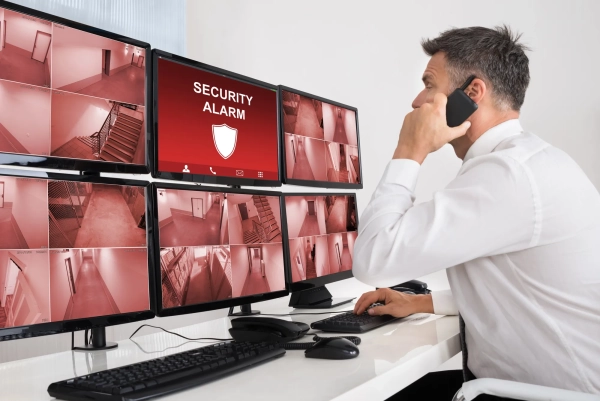
A reliable Endpoint Security solution guarantees the security of your business / Photo Depositphotos
Among the most popular and affordable products for small and medium-sized businesses in Ukraine are the following:
- ESET – ESET Endpoint Security solution;
- Bitdefender – GravityZone platform;
- Sophos – Intercept X and Sophos Central;
- Microsoft – Defender for Business;
- Trend Micro – Worry-Free Business Security.
All of these systems have their own set of advantages, features, and limitations, and we will discuss each of them in detail below so that you can better understand which one is right for you. But before that, we should briefly explain the important criteria for choosing such systems: what to look for when choosing a product and what is the main aspect in choosing Endpoint Security solutions.
How to choose the right protection for your business?
When choosing Endpoint Security, it is important not to look for the most powerful or most expensive solution – such an approach to choosing will be a mistake and you will either choose the wrong thing for you, or simply spend a lot of money on a system that will be difficult to navigate.
For small and medium-sized businesses, the key issue is not the maximum number of features, but the balance between protection, deployment complexity, and cost.
First of all, it is worth evaluating the ease of deployment . This is an important parameter, because the companies we will talk about below offer different systems and some may not suit you at all.
It is important to understand whether a separate server is needed? Can protection be managed via a cloud console? How long will it take to install on 20-50 computers? For companies without their own IT specialist, it is critical that the launch takes hours, not weeks.
The second important factor is ease of management . Even a good solution can become a problem if the console is complex and overloaded with settings and functions. In practice, no one will read 300-page instructions – the system should be clear and intuitive. This is especially important for managers who want to see simple reports: what is happening, what risks are, whether everything is under control.
Functionality is equally important, but here it is worth thinking pragmatically. Basic virus protection is already standard. Much more important is whether the solution has ransomware protection, behavioral analysis of threats and the ability to isolate an infected device.
Important point! For businesses with increased risks, EDR or XDR may be needed, but not every company really needs it, because these are complex systems that monitor the operation of computers, other devices, and even mail, cloud services, and network equipment.
A separate topic is the cost and licensing model . Often the base price looks attractive, but advanced modules are paid separately. It is important to understand the full cost for 2-3 years: licenses, implementation, support, possible help from an integrator.
And finally – support in Ukraine . Are there local partners? Can I get advice in Ukrainian? Will the supplier help in the event of an incident? For you, this will often be more important than an additional feature in the interface.
It is important to understand that there is no one-size-fits-all solution. The right choice will be one that matches the scale of the business, the level of risk, and the resources available, not just a list of features and benefits.
ESET Endpoint Security
Among endpoint protection solutions on the Ukrainian market, ESET products are traditionally considered one of the most balanced for small and medium-sized businesses. This primarily concerns ESET Endpoint Security in combination with the ESET PROTECT centralized management console.
ESET provides:
- protection against viruses and Trojans;
- ransomware countermeasures;
- behavioral threat analysis;
- device control (USB, external media);
- web filtering.
The solution also offers EDR for companies with broader requirements. But the basic configuration already covers most of the risks relevant to small and medium-sized businesses.
The main feature and advantage of this solution is simplicity. It does not try to overload the administrator with dozens of complex modules, but offers a clear architecture: the agent is installed on the device, and management is carried out through a single console – local or cloud.
It is critical for businesses that the launch does not turn into a project lasting several weeks, or even months. In ESET’s case, the process typically looks like this:
- a cloud or local console is created;
- an installation package is generated;
- the agent is deployed to workstations (manually or via remote installation).
And that's it – a few hours, and the system is ready to work. For a company with up to 100 working machines, deployment can take one working day. This is one of the reasons why businesses without a large IT department often choose ESET.
The ESET PROTECT console is intuitive, as it is aimed not only at cyber specialists, but also at ordinary system administrators. The interface is logical: device status, incidents, updates, policies – everything is structured.
For management, it is important that the system generates clear reports: are there active threats, how many incidents have been blocked, which devices need attention. This allows not only to respond to sudden attacks, but also to monitor the situation as a whole.
Among other things, ESET is also known for being light on the system. In practice, this means that computer performance does not suffer, as they are not overloaded with processes. The relevance of the product also guarantees reliable and stable operation on the latest hardware. In addition, there were no noticeable conflicts with other software used for business operations.
This may not seem like such an important factor, but it is usually underestimated – if protection slows down workstations, employees start turning it off, and in this case the entire system loses its meaning.
Presence in Ukraine
ESET has a well-established partner network in Ukraine, which is important for business. Companies can purchase licenses through official resellers, get advice in Ukrainian, and engage specialists to implement or configure security policies. In the event of an incident, the business is not left alone with the problem – there is an opportunity to contact technical support.
ESET Endpoint Security is usually chosen by companies that need a clear and stable system without excessive complexity. It is a good option for businesses without a separate department of specialists or with one system administrator who is responsible for several areas at once.
The solution allows you to quickly launch protection, centrally manage devices, and gain a clear understanding of the current security situation. If a company does not plan to build a complex cyber monitoring system, but wants reliable and predictable protection, ESET is the most practical and balanced choice.
Bitdefender GravityZone
Bitdefender GravityZone is a solution often chosen by companies that value high threat detection efficiency and extensive analytics capabilities. Compared to a basic antivirus for a computer, GravityZone is built as a single platform that combines tools to protect endpoints, servers, and even virtual environments.
Under the hood are modern analysis engines, behavioral protection, and useful additions to detect more complex attacks, including ransomware and exploits.
The peculiarity of Bitdefender's approach is that it is a combination of traditional signature methods (like conventional antiviruses) and proactive technologies . The system not only reacts to already known threats, but also analyzes how programs work to “catch” anomalies and respond to new patterns of malicious activity.
This is especially important for companies operating in high-risk areas – for example, financial, logistics, or companies that process personal customer data.
GravityZone has a centralized management console where IT administrators can see the security status of all devices, set policies, and receive reports. The cloud version eliminates the need for additional infrastructure, while the on-premises installation provides more control if the company operates in a “closed” environment without access to the Internet. Such flexibility is one of the strengths of this solution.
However, despite all its advantages, Bitdefender also has weaknesses that are worth talking about honestly.
- First , a complete protection picture often requires advanced modules that are not included in the basic package. This means that a basic license may seem inexpensive, but for real enterprise protection, you need to budget for additional EDR/XDR capabilities or advanced analytics.
- Second , the console and policy set, while powerful, can seem overwhelming to teams without significant security management experience. A new administrator may need time to learn the interface and policy logic, especially if they have previously worked with simpler systems.
- Third , with Bitdefender you will also have to spend on training and support. Businesses will most likely need to turn to integrators or partners for initial setup and adaptation to specific business processes. This is not always critical, but for small businesses with limited budgets it can be an additional factor in making a decision.
However, if you and your team need to work with a wider set of tools and flexibility is important to you, Bitdefender can be a very powerful ally, especially for the extra money.
Microsoft Defender for Business
Microsoft Defender for Business is an enterprise-grade solution that is formally positioned as endpoint protection for small and medium-sized businesses. On paper, it has many strengths: modern threat detection mechanisms, integration with the Microsoft 365 cloud, and close work with Intune for device management.
But the reality of using this product in businesses outside the Microsoft ecosystem often shows that it is not a universal option, which is definitely not about “install and everything will work.”
The main difference between Defender for Business and classic endpoint solutions is that it is deeply integrated into Microsoft 365, Azure AD, and Intune .
If a company is already using Microsoft 365 Business Premium or has Azure AD and Intune configured, this protection works quite logically and effectively: policies can be automated, updates are centrally deployed, and incidents are displayed in a single Security Center . But if such services are not configured or not used at all, a company can face serious difficulties.
It is a typical situation when businesses without a Microsoft ecosystem face the banal unintuitiveness of the console interface . Protection is administered through the Microsoft 365 Defender Portal, which simultaneously displays policies, threats, devices, logs, and many other blocks without a clear separation.
For someone with no experience with Microsoft products, this can be a source of confusion , and in a situation where you need to respond immediately to a threat, it can actually lead to fatal consequences.
Additionally, Defender almost always requires Intune or Azure AD for full device management. This is why workstations that are not joined to Azure AD or managed by Intune may remain partially or completely unaccounted for in protection policies.
But one of the worst aspects remains Microsoft's rather confusing licensing policy . Often the product is not sold separately, but as part of Microsoft 365 Business Premium or Microsoft 365 E3/E5. This can significantly increase the overall cost if a business purchases subscriptions just for Endpoint Security.
And don't forget about deployment time. Unlike solutions where the console and policies are built specifically for security management, Microsoft Defender often requires additional steps: enabling individual modules, configuring Intune profiles, understanding the multidimensional logic of Microsoft Security Center. All this takes additional time and the entire project can be delayed, which will limit the work of the business.
So in conclusion, where the Microsoft platform is already used as the basis of the IT infrastructure, Defender for Business can be a good solution. However, if this infrastructure is absent and the business is choosing its first product for protection in general, this is not the best idea. In such conditions, Defender can become a more complex and expensive option than tools specifically designed for Endpoint Security, without the need to tie it to other services.
Sophos Intercept X
Sophos Intercept X, combined with the Sophos Central console, is a solution that is well suited for businesses with some IT experience and want to not just react to threats, but also predict and prevent them.
While other products focus primarily on basic protection and simple administration, Sophos focuses on deeper behavioral analysis, behavioral blocking, and incident management.
At the protection level, Intercept X combines several powerful components:
- traditional malware detection;
- behavioral analysis;
- protection against exploits;
- rollback recovery mechanisms after some attacks.
This means that the system does not just block known malware, but can detect anomalies in program behavior, which helps protect against new or “unknown” threats – especially ransomware or sophisticated attacks using the system's own tools.
The Sophos Central dashboard has a modern look and lets you manage protection across all your company’s devices at once. Here you can create security policies, monitor threats, manage devices, run scans, and view reports all in one interface.
For teams that are used to working with cloud services and remote administration, this is convenient because a separate server is not required – everything works via an online console.
However, such a “multi-layered” solution also has its challenges. The first of them is the complexity of configuration . Intercept X and Central offer many parameters, and in order for the system to work as effectively as possible, some understanding of the intricacies of security is required.
This is not a case where you can simply “install and forget.” The administrator will have to spend time adapting policies to specific business requirements.
Another less obvious downside is system load . When full behavioral monitoring and traffic analysis are enabled, some devices may experience some performance degradation, which can impact performance. This is especially noticeable on older hardware. While this is usually not a critical issue for modern corporate machines, it can be a factor to consider for companies with a large number of legacy PCs.
It is also important to note that advanced capabilities such as Sophos XDR (Extended Detection and Response) or other incident management modules often require the purchase of an extended license . This increases the overall cost and can be a surprise to an enterprise that initially perceives Sophos as a ready-made, fixed-cost solution.
Trend Micro Worry-Free Business Security
Trend Micro Worry-Free Business Security is positioned by the developers as a solution that allows small companies to get basic endpoint protection without unnecessary complications. The name “Worry-Free” (which literally means “without worries”) well reflects the main idea: a minimum of settings, quick deployment and understandable basic protection.
Trend Micro immediately emphasizes simplicity and automation. After installing the agent on computers and (optionally) using the cloud management console, the administrator can practically not interfere with the work if there are no incidents. This solution is aimed at companies that do not have deep knowledge in the field of security. The package is simply activated, standard policies are set, and the business is protected.
One of the advantages of Trend Micro is its focus on protection against ransomware and long-known types of malware, as well as filtering web threats and blocking phishing links. This allows you to solve many common problems without the need to include separate modules or complex configurations. For small businesses, where the main task is not to get into the middle of the work process, this level of protection is often quite sufficient.
However, this simplicity immediately creates a number of limitations that can be critical when choosing a security solution. Trend Micro Worry-Free does not provide advanced analytics and response tools. For example, EDR or XDR are either absent or available only in more expensive packages (and even then not in all configurations). This means that for more complex attacks or when it comes to incident investigation, the functionality may be insufficient.
Another point is the limited control over policy details . For companies with more demanding security standards, technical nuances, and regulatory obligations, Trend Micro may seem too basic a solution. There are fewer options for fine-tuning system behavior, fewer opportunities for detailed auditing.
The console here, although simple at first glance, does not always provide a complete picture of risks: the reports are basic, and the advanced logs are not as easily accessible as in more complex solutions. This may not be critical for a small business, but it is important to consider.
Result
Unfortunately, the problems associated with cyber threats are more relevant today than ever. For businesses, cybersecurity is no longer just about “playing it safe.” One encrypted server, one hacked computer, or one phishing email can cost a company more than a few years of professional security licenses .
For small and medium-sized businesses in Ukraine, this is a point of stability, customer trust and financial security. Someone chooses a simple and understandable system without unnecessary complexity, someone needs advanced analytics and control. However, the main thing is not to postpone the choice until the moment when the problem has already occurred . Because in the field of cybersecurity, the best scenario is the one that you never find out about, because the system worked on time.