
Main points
- Installing apps from third-party sources, agreeing to unreasonable permissions, and using cheap charging cables can harm your Android smartphone.
- Regular backups, proper charging, and using quality accessories will help keep your device in good condition.
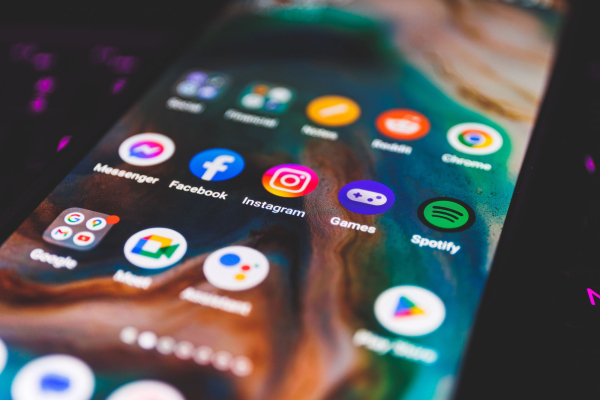
What not to do with an Android smartphone / Depositphotos
Modern Android smartphones have become much more reliable and can work without problems for years. But even the best device can easily be ruined by bad habits. Some actions seem harmless, but in fact they reduce battery life, affect stability and even worsen your user security.
Even an expensive smartphone is not immune to problems if the user neglects basic safety and care rules. There are several common habits that should be avoided so that the phone lasts longer and works stably, says 24 Kanal .
What errors most often harm an Android smartphone?
First of all, you should be careful when installing apps from third-party sources . Google does not recommend downloading APK files outside of the Google Play Store, as this bypasses built-in security checks.
Although many users install such programs due to regional restrictions or the lack of an application in the official store, the risks remain high. Pirated or cracked versions of programs are considered especially dangerous, as they often contain malware. It is safer to use only verified sources and trust well-known developers.
Another common mistake is to automatically agree to all permissions that a new app asks for. Some apps ask for access to your contacts, gallery, microphone, or camera, even though they don't need it to work.
Unreasonable permissions are the first “red flag.” Here you should think twice about whether to install the application at all. Even if the application is definitely safe, it is still better not to give it access to information that it does not use for its work.
This can lead to issues with user tracking, personal data leaks, or even information theft. It's best to carefully check what the app is asking for, and also use the “Only when using” mode. You can view these settings through the “Settings” section, then “Apps” and “Permissions,” Google advises.
No less important point is charging cables . Many people, after buying an expensive smartphone, save on accessories and take the cheapest cable. This can turn into problems. Cheap wires are often made of low-quality materials. They have weak insulation and unstable current transmission.
This can cause the battery to wear out faster and the device itself to overheat. In the worst cases, there is even a risk of fire. It is best to use original cables from the manufacturer or certified solutions from trusted brands.
Another harmful myth is the belief that you need to completely discharge your phone before charging it . For modern lithium-ion batteries, this is actually harmful. When the charge drops to zero, the battery goes into a deep discharge state, which negatively affects its long-term capacity.
These batteries have a limited number of charge cycles, and full discharges accelerate wear. It is optimal to maintain the charge within about 20 – 80%. Most modern Android smartphones already have a battery protection function that helps control the maximum charge level.
The last but very important mistake is ignoring backup . Many people put it off until they lose their smartphone, break it or have it stolen. Photos, videos, contacts, documents and settings can disappear along with the device, just like Bulgarians and Russians, and backup can save.
Today, backing up takes just a few minutes. You can store your data via Google Drive, sync photos via OneDrive, or use Samsung Smart Switch to completely transfer your information to an external drive. Regular backups save you a lot of trouble in the future, and Google explains in detail how to do it right.
Ultimately, most problems with Android smartphones arise not from factory defects, but from the habits of the users themselves. Careful use of applications, proper charging, quality accessories, and regular backups will help keep the device in good condition for much longer.